Australia
 Brazil
 China
China Croatia
 Europe
 France
 Germany
 Italy
Italy Japan
Japan Latin America
 Netherlands
 Spain
Spain Turkey


Editor’s Note: This blog is part of our monthly series on adapting your dental practice for the future written by the team at My Social Practice.
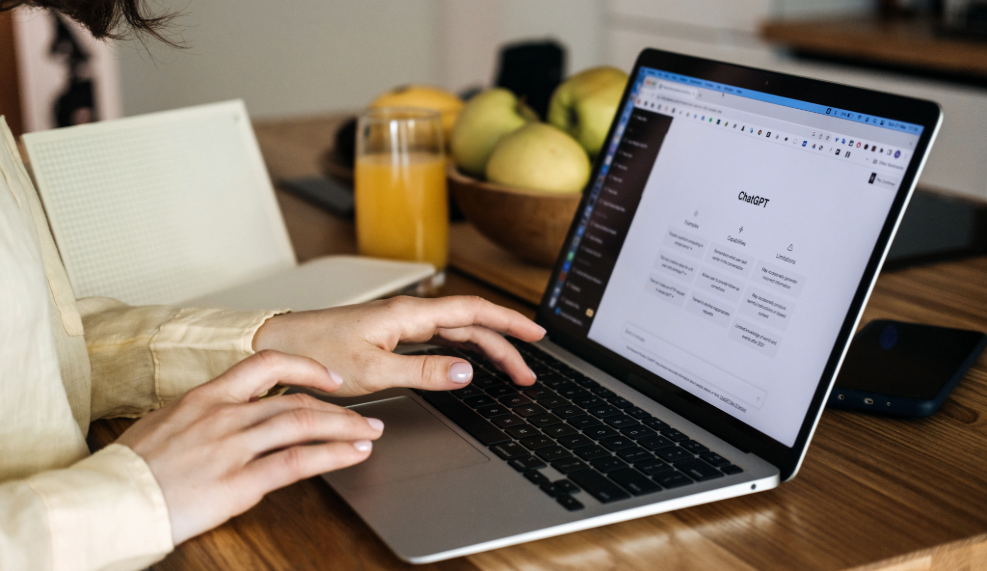
Most dentists have never had a stranger sit down and read their website out loud, sentence by sentence, and say exactly where they got confused or bored. That's essentially what a ChatGPT audit gives you, and it costs nothing but a little time.
What You'll Learn
- Where ChatGPT is genuinely useful for reviewing a dental website, and where its judgment stops being reliable.
- How to work through your homepage, navigation, service pages, and mobile experience using nothing but conversational prompts.
- How to turn a long list of AI feedback into a short list of fixes your team can realistically start on this week.
Setting the Stage
Before opening a chat window, it helps to pull together a handful of things: your homepage copy in full, the exact wording of your navigation menu, two or three of your highest-value service pages, and a screenshot of your site on a phone. ChatGPT can search the live web, and if memory is turned on, it can carry over relevant details from earlier conversations. Neither of those means it has actually seen your site, though. Don't assume it has reviewed the current version of your site; ask it to identify what it actually examined.
That blind spot is worth understanding before you begin, because it shapes how you should read every answer it gives you. Unless you give it a screenshot or use a visual-browsing feature, it has no real sense of what your site looks like. This kind of text-and-screenshot review doesn't measure performance or amount to a complete technical or accessibility audit. Proper accessibility evaluation still needs human judgment. What it's genuinely good at is language: catching the vague, the repetitive, and the forgettable. Treat it the way you'd treat a smart colleague from outside your industry rather than an inspector with a clipboard, and you'll get more out of it. It also helps to already know what belongs on a strong dental website before you start asking it questions, since the feedback is far more useful once you know what good looks like. That gap between what it can read and what it can actually see fits a broader pattern in where dental AI genuinely helps and where it still falls short, and search itself is shifting in ways that reward practices that understand what's driving that change early rather than later.
Reading Your Homepage like a Stranger Would
Start at the top. Paste your homepage copy in and ask it to pretend it's a new patient seeing the page for the first time, then describe in one sentence what the practice does and why it beats the dentist down the street. Practices are often surprised by how often the answer comes back generic, because a page can be well written and still say nothing that couldn't apply to any office in town, a pattern that turns up in most simple audit checklists well before you get to the harder questions.
Push further by pasting any page and asking it to flag every line that could describe literally any dental practice, then suggest something more specific to replace it with. Use only verified practice details in what it suggests; ask it to flag missing information rather than invent credentials, services, prices, or competitive advantages. ChatGPT can generate confident-sounding specifics that aren't accurate. This exercise tends to be the most humbling part of the whole process, and also the most useful, since specific language is exactly what separates a memorable homepage from a forgettable one. It can also play a role in why patients actually choose one dentist over another once AI tools start summarizing your site on someone else's behalf.
Finally, ask it to summarize, using only the text you gave it, what the practice offers, who it's for, and what makes it different. If that summary comes back thin, that's a rough illustration of how an AI assistant might summarize your practice based on that page alone; a live search result can also draw on other sources, reviews, and location context, so treat this as a directional signal rather than a preview, which matters more each year as AI tools increasingly summarize dental websites for people who are searching, a shift that has plenty of people writing about smart ways to get found by AI these days.
Finding the Cracks in Your Structure
Navigation is easy to overlook because the people who built it already know where everything lives. List out your menu items exactly as they appear and ask whether a first-time visitor could tell what the practice offers within five seconds, and whether any label feels confusing, repetitive, or like it's hiding a page a patient would expect to find. Treat its read on this as a hypothesis to investigate, not a usability-test result. Actual visitors haven't weighed in. Confusing menus quietly send visitors away before they ever reach a service page, one of the less obvious reasons dental websites lose patients without anyone realizing the site itself was the problem.
From there, paste in one of your service pages and ask a direct question: does it explain what the procedure involves, roughly what it costs, how long it takes, and what comes next. Thin service pages are one of the more common problems ChatGPT will surface, the same gap that shows up in most technical audits built to catch SEO problems, just found here the fast way, mostly because they were written to exist rather than to actually answer anything.
Round this section out by describing your booking process step by step, from the moment someone clicks a call-to-action to the moment their appointment is confirmed, and ask where a patient is most likely to give up along the way. A journey with too many steps or unclear next actions loses people quietly, without ever showing up in a bounce-rate report as anything more than a shrug.
Building Trust Before the Phone Rings
Trust does a lot of quiet work on a dental website, and it's worth testing directly. Paste your provider bio and ask for a trust rating on a one-to-ten scale from the perspective of a nervous new patient (treat this as a hypothesis to investigate, not a validated trust score), along with an explanation of what's missing, whether that's credentials, a philosophy of care, or simply a human detail that makes the doctor feel like a real person.
Local specificity matters here too. Paste your homepage along with a service page and ask how clearly the copy signals that the practice serves a particular city or neighborhood, then ask for natural places to work that detail in. This isn't just a nicety for search rankings; it also plays into what modern patients need before they'll book an appointment with someone they've never met.
Then there's the question most websites never answer directly: what is the patient still worried about after reading this page? Ask ChatGPT to read your copy and list out the fears or hesitations a nervous or cost-conscious patient might still be carrying, and whether the page does anything to address them. Cost, pain, and time are the usual suspects, and pages that never mention any of them tend to leave those worries fully intact.
The Small Things That Sink Conversions
Some of the most damaging problems on a dental website are also the smallest. Gather up every call-to-action phrase used across your site, things like "Book Now" or "Contact Us," and ask whether the wording feels specific and reassuring enough for someone who's anxious about visiting a dentist, along with a few warmer alternatives for each one. Using the same label consistently for the same action is good practice, but the same generic phrase copied everywhere with no thought behind it tends to blur together and stop meaning anything. That's a clarity and usability problem in its own right, not an established search-ranking fix, though it's often grouped with the SEO fixes practices tend to skip.
Mobile deserves its own look, since that's how many patients are actually browsing. Upload a screenshot of your site on a phone and ask what would frustrate someone scrolling in a hurry, specifically around button size, how much text they have to wade through, and roughly how many taps it looks like it would take to find a phone number. A single screenshot shows layout, not an actual click-through, so treat any tap count as an estimate rather than a tested number.
A handful of smaller details are worth checking manually rather than through a prompt: whether your insurance list is current enough that a visitor can tell in seconds what's accepted, whether it's obvious what someone in pain should do right now, and whether reviews or testimonials are placed somewhere a visitor will actually see them rather than buried near the footer, where visitors may overlook them. Concrete language throughout your site may also help AI find and recommend a practice in the first place, rather than skipping past it for a competitor with clearer copy.
Turning a Long List into Three Things You Actually Do
By the time you've worked through a homepage, a menu, a couple of service pages, a bio, and a mobile screenshot, you'll have more feedback than any practice can act on in a week. That's normal, and trying to fix everything at once is usually how none of it gets fixed. Ask ChatGPT to look back over everything discussed in the conversation and build a prioritized list using its own best guess at what's likely to move the needle, a useful starting point, not a measured prediction, then pick the top three and hand them to whoever actually owns that part of the site, whether that's a developer, an office manager, or a marketing partner.
It's worth glancing at what a strong result actually looks like once you've got your list. Comparing your site against some of the best dental websites out there shows how clear messaging and an easy booking flow come together in practice, rather than staying abstract.
None of this replaces a real technical audit, and it shouldn't try to. This kind of text-and-screenshot review doesn't measure performance or amount to a complete technical or accessibility audit. ChatGPT can help interpret analytics, speed, or accessibility data if you paste in a report or export, and supported browser workflows can interact with some online tools and authorized accounts where available, but proper accessibility evaluation still needs human judgment. What it can do on its own is catch the messaging and structural problems that are easy to miss when you've read your own website a hundred times, and hand you a place to start. Getting ahead of where search is headed starts with knowing what your own site is actually saying today, before a patient or an AI assistant ever has to guess at it.
ChatGPT is a trademark of OpenAI
Common Questions
Does ChatGPT actually see my live website?
Not automatically. ChatGPT can search the web and pull up information about your site, but that's different from visually inspecting your live, rendered page. For copy feedback, paste your text. For visual-design feedback, upload screenshots or use an available visual-browser feature. Either way, this kind of review doesn't measure page speed or accessibility on its own.
Is this a substitute for a real SEO audit?
Not even close. It's strong at catching messaging and clarity problems, and it can help interpret a speed, crawl, or backlink report if you paste the data in. A chat-based review like this doesn't measure performance or amount to a complete technical or accessibility audit, though supported browser workflows can interact with some online tools where access allows. Use it as a first pass, not the whole process.
How often should this be repeated?
Every three to six months works well for most practices, or any time a major page like the homepage or a top service page gets rewritten.
What if the feedback feels off base?
Treat it as a conversation starter rather than a verdict. Nobody understands your patients and your brand better than you do, so weigh its suggestions against what you already know.
Does this require a paid ChatGPT plan?
No, the free plan can handle this basic text-and-screenshot workflow. Keep in mind the free tier has usage limits on things like web search, data analysis, and file uploads, so you may hit a cap during a long session. If you want a visual-browser or cloud-browsing feature to inspect your live, rendered site directly, that currently requires an eligible paid plan. Paid plans also raise the basic usage limits and add stronger models, not just support for more screenshots.*
*Verify plans on OpenAI’s site.

About the Author
Danielle Caplain is a copywriter at My Social Practice, a dental marketing company serving practices across the United States and Canada. She creates educational content focused on AI in dentistry and supports the company’s podcast, social media, and SEO initiatives.